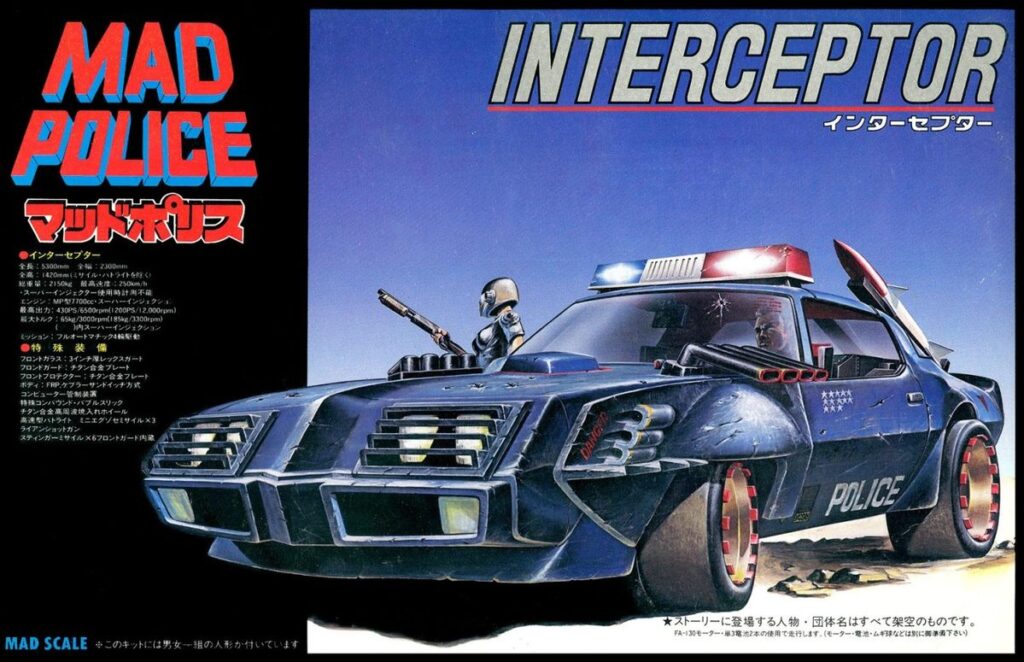
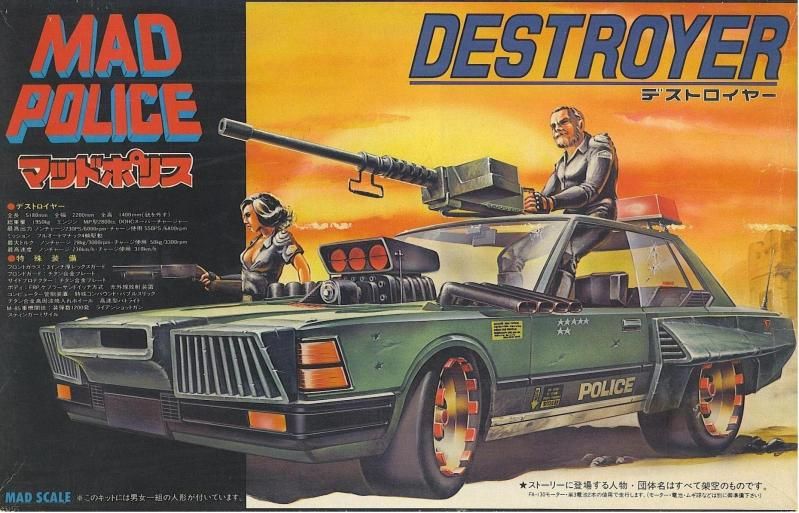
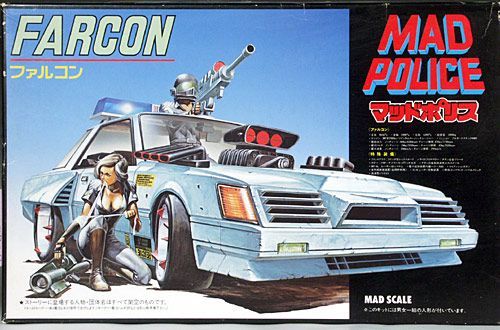
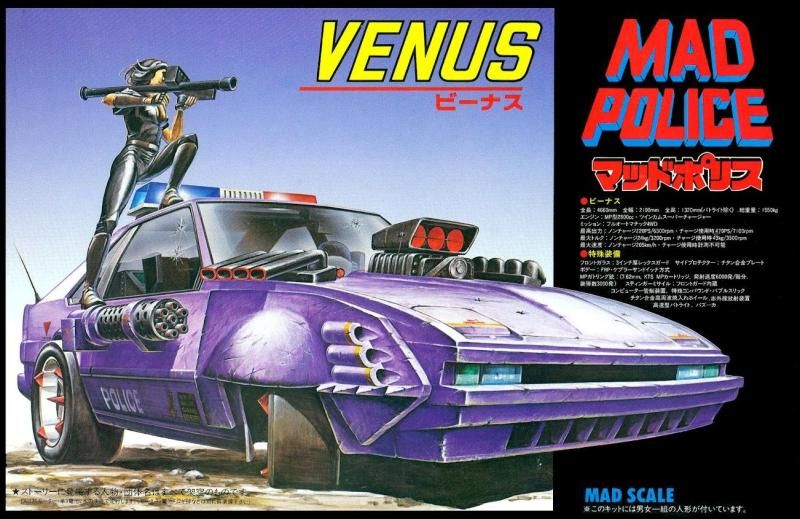
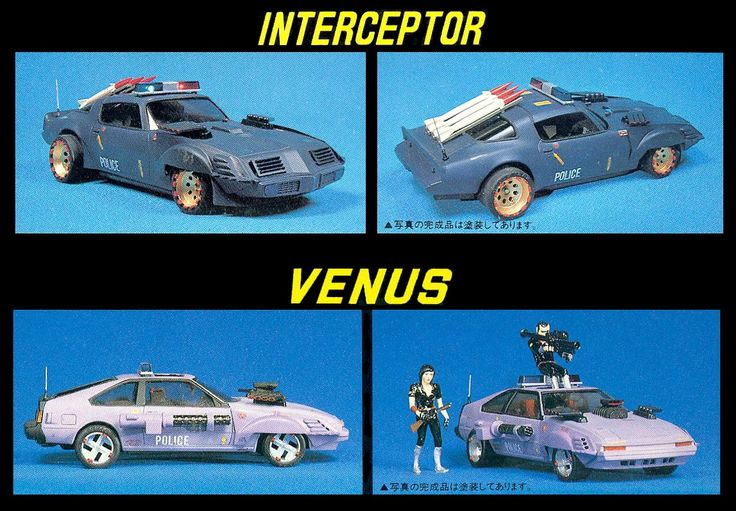
These model kits by Fujimi which came out in 1982 are obviously inspired by the Mad Max 2 movie. They now fetch high prices and it’s easy to see why. Police cars modified with rocket launchers and Vulcan guns are neat.
This is apparently a scan from a magazine or promo flyer. These kits came with figures too!
It was a quiet weekend at home, and on Sunday while I was following the events of yet another attempted presidential assassination by the “tolerant left,” I finally got around to resuming work on my old 1:100 Glaug kit I started working on last summer at the in-laws’ place while on vacation. I sort of lost track of this build for several months. I’m pretty good at starting new kits and losing track of them.
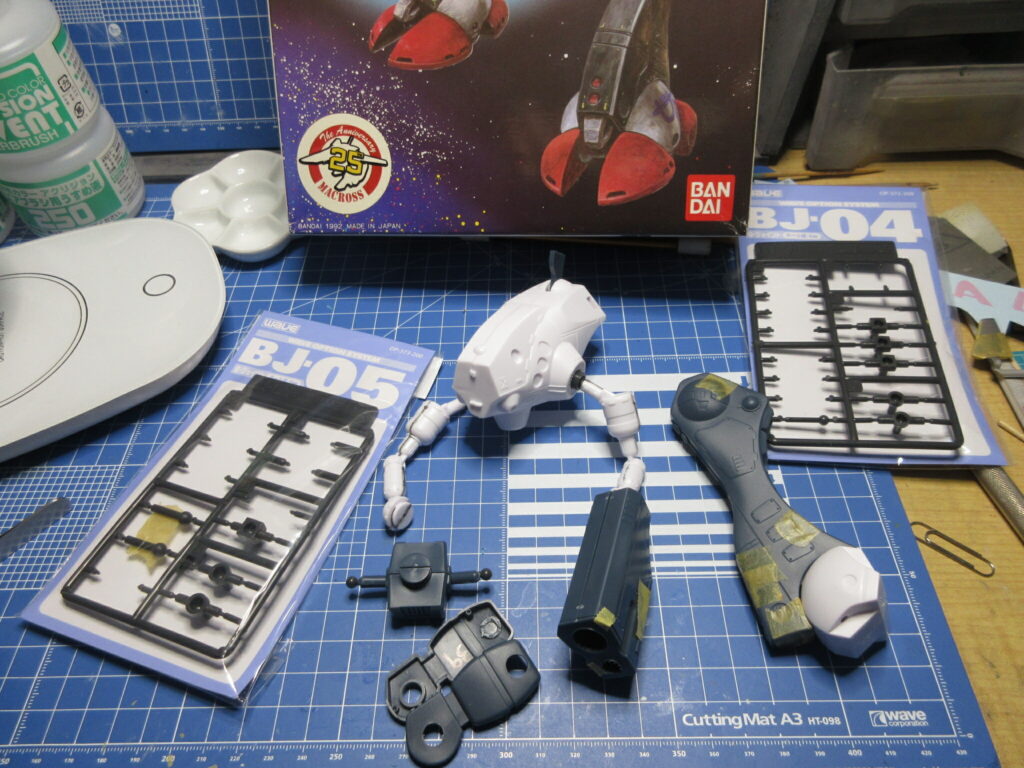
I’m inserting Wave’s ball joints to add better articulation for the shoulders and the hips. While this kit does have plastic-on-plastic swivel joints, Adding ball joints should improve mobility and allow the legs to be splayed for more natural poses. I’ve sanded down the dome-shaped protrusions and intend to replace them with Wave H-Eyes lenses. I’ve also taken a mold of the mono-eye. I plan to cut out that plastic, attach the mold, and backfill it from the inside with clear UV resin. I did this with the old Bandai/Imai Q-Rau kit.
I thought that I’d buy some more of these Wave ball joint sets, but when I looked online I saw that several of them are sold out! I can still get the BJ-05 set, and I ordered a couple from Yodobashi Camera. But I couldn’t find the BJ-04 and some other sets anywhere!
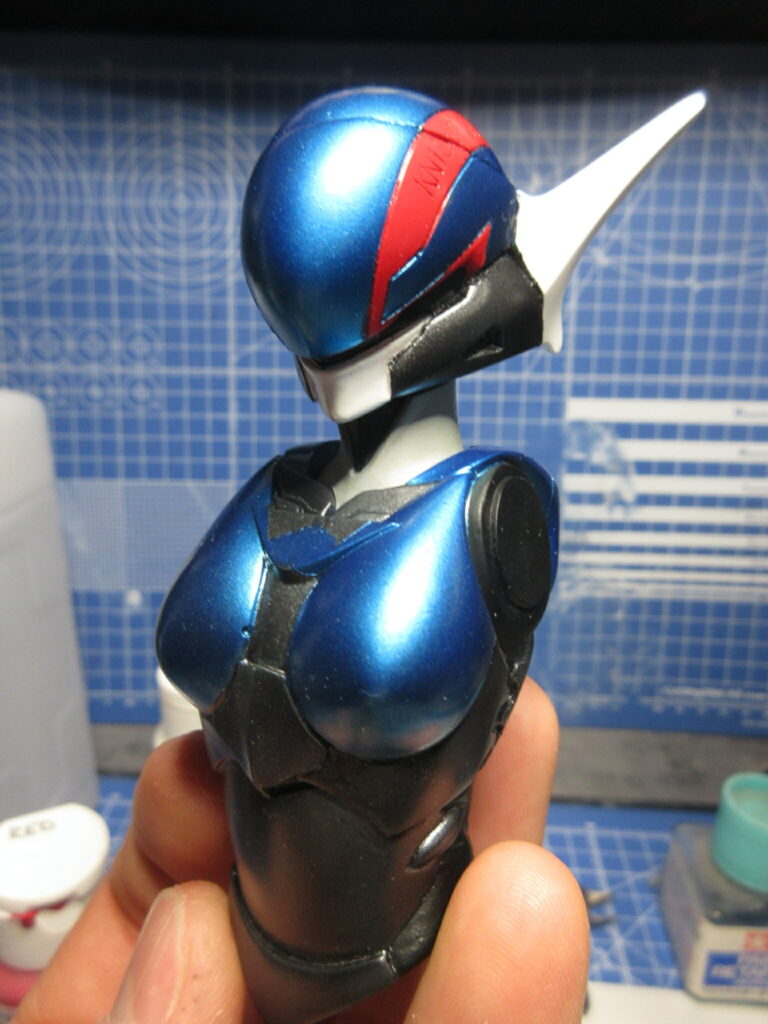
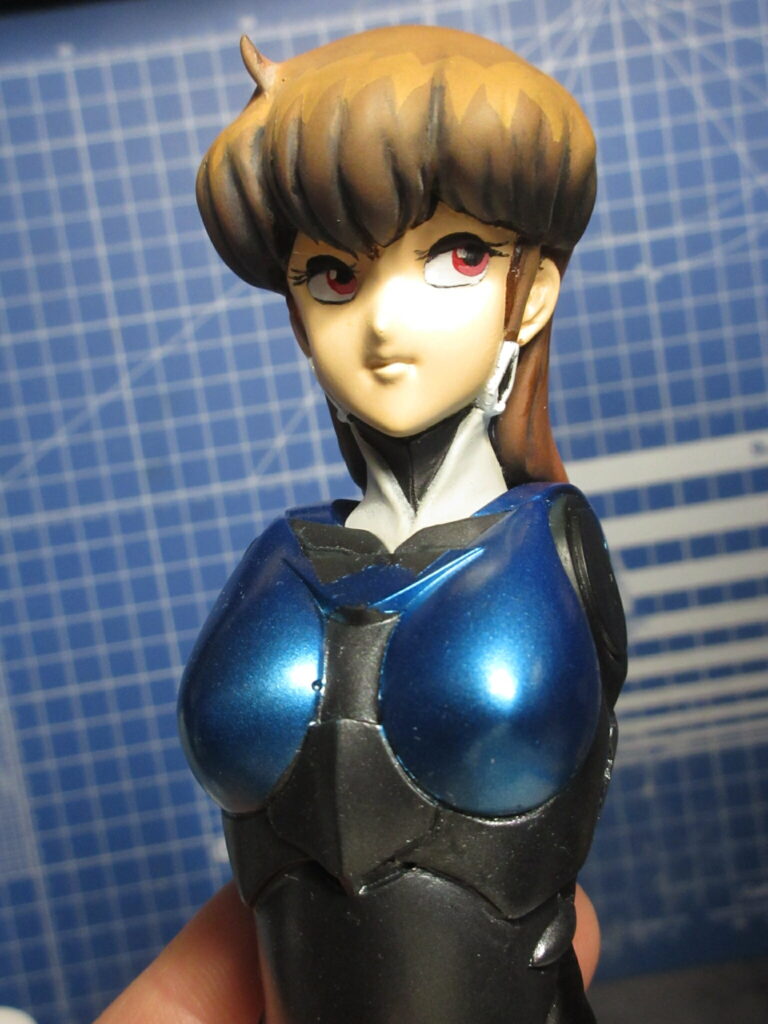
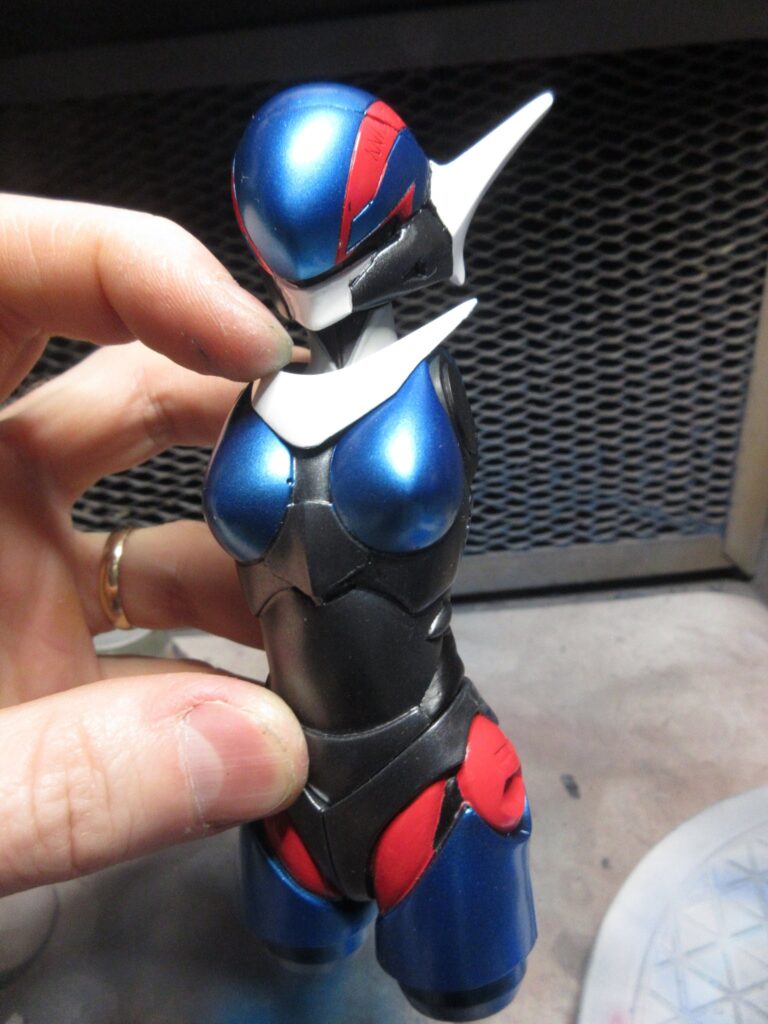
I’m excited about this! I bought this Priss sofubi kit soon after I moved to Japan. I posted unboxing photos of this kit on my Tumblr account 11 years ago. I didn’t pay much for it at the time, but since then the price for sofubi kits have increased considerably. I began working on this kit a year ago and I like how it is turning out.
I’ve painted her entirely with sofubi paints. mostly V-Color but also I’ve used the new, water-based Mr. Hobby Sofubi Color for the metallic black parts. The metallic blue color of her hardsuit is a mixture of silver, clear blue, and a bit of regular blue V-Color paints. It looks so beautiful.
I finished painting her eyes last week, using acrylic paints. (She has red eyes in the anime, so this isn’t a case of my color-blindness causing me to make a mistake). I added a bit of white to the red paint to one side of her irises to give them two tones, then painted the black pupils, and finally the light spots.
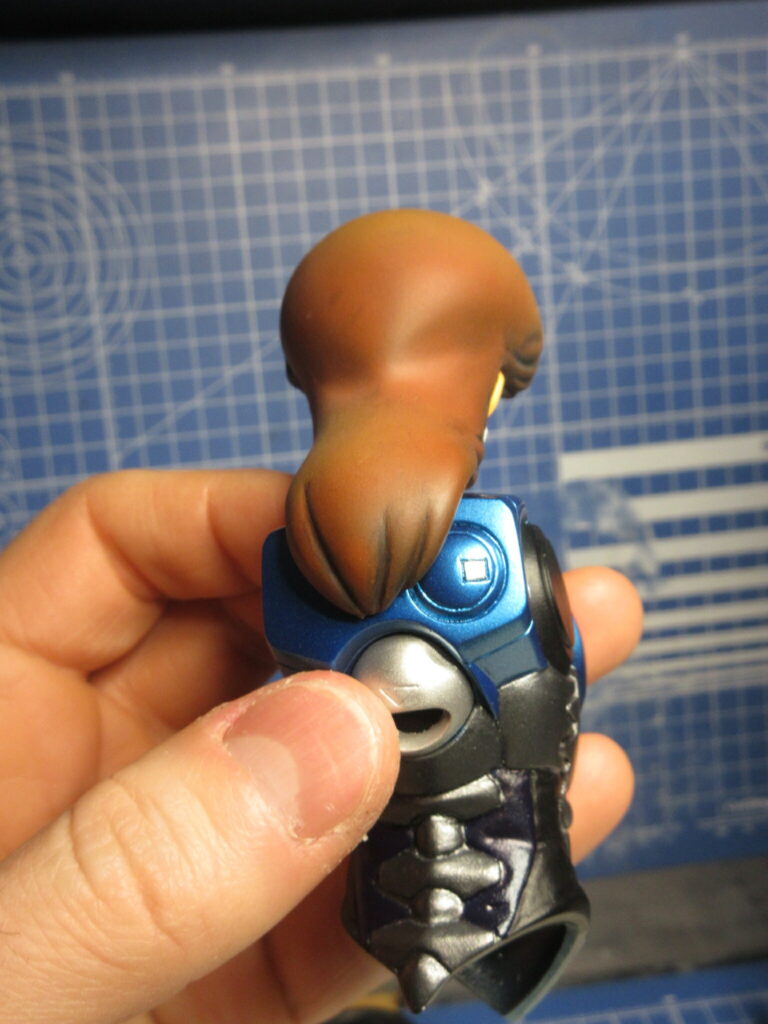
Unlike other sofubi kits I’ve made, this one is made to be semi-poseable. Her arms pop into sockets and her legs can swivel at the thighs. Her heads can pop in and out, and I’ve employed magnets to make this easier. Her regular face is sculpted with her neck together, but her helmet has the head and neck as separate pieces. I have magnets in there to make her head movable.
I’ve since done a panel line wash using Turner Acryl Gouache black paint with Mr. Hobby Weathering Paint Gouache Solvent. All that’s left is the final assembly at this point.
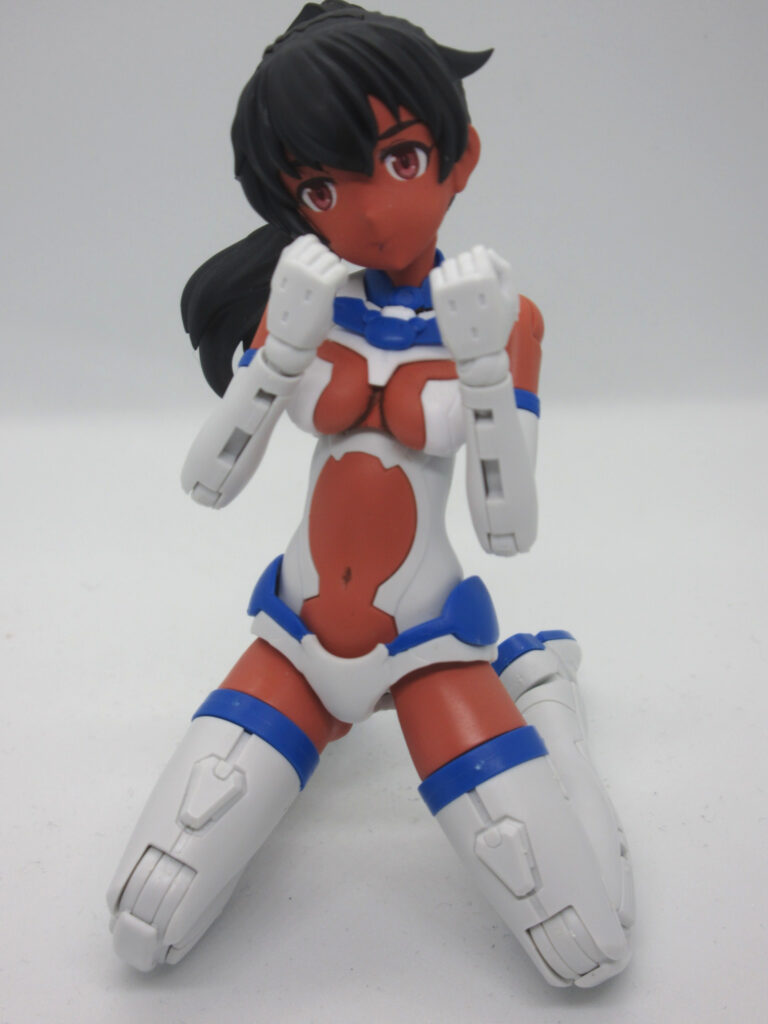
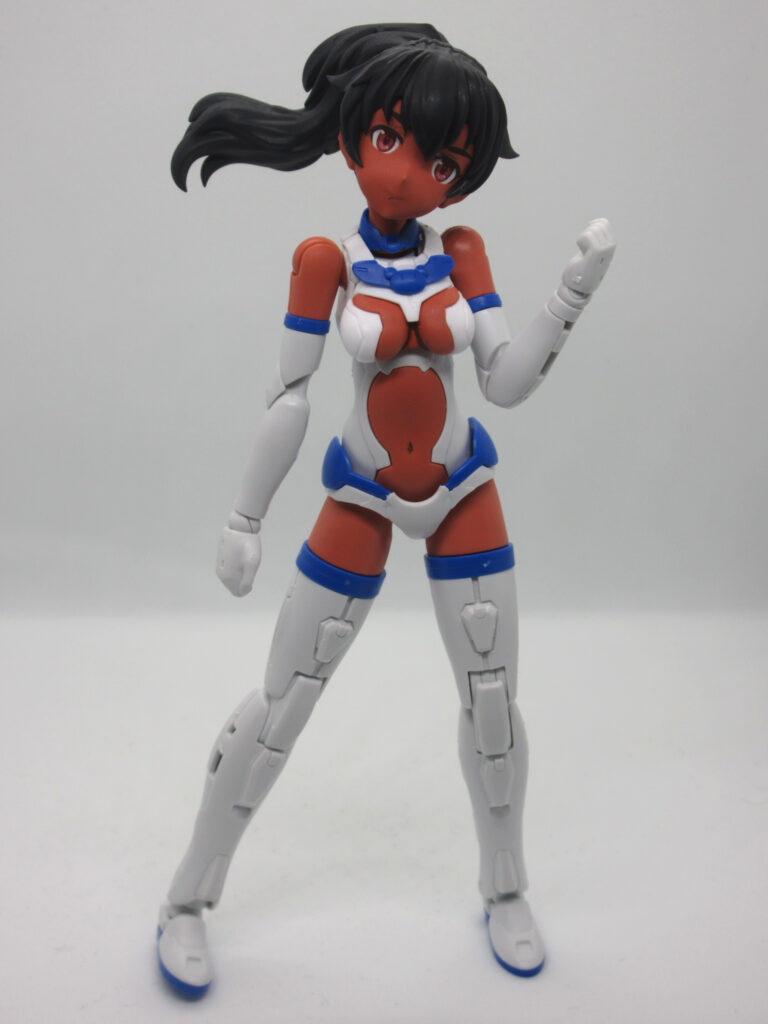
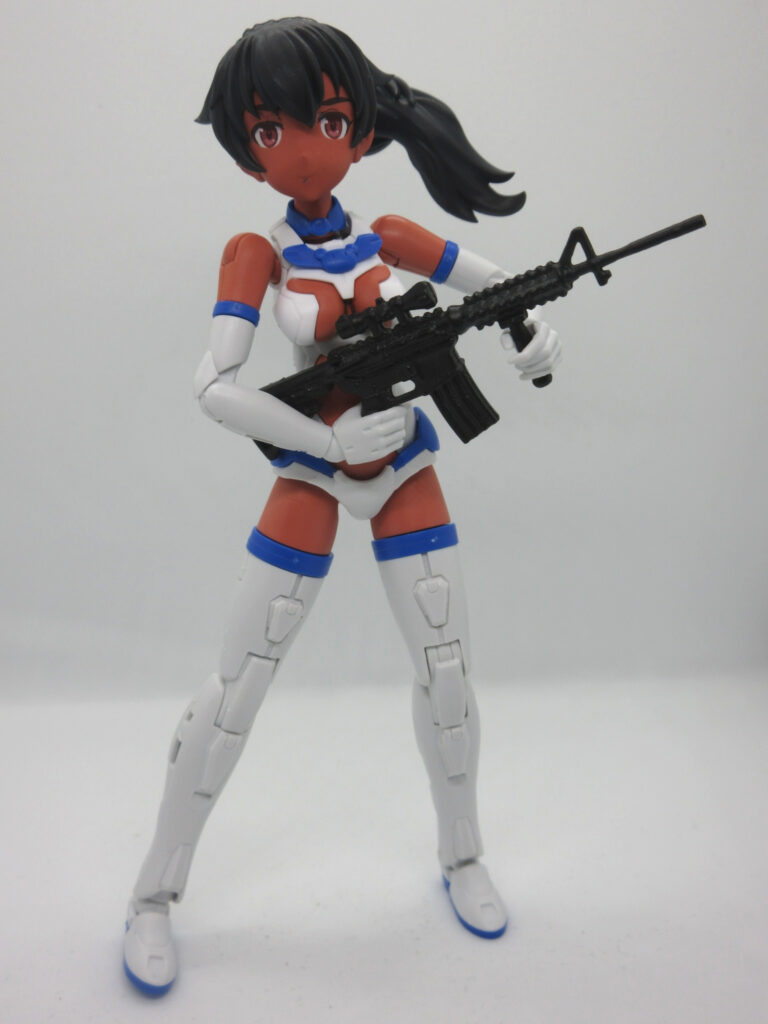
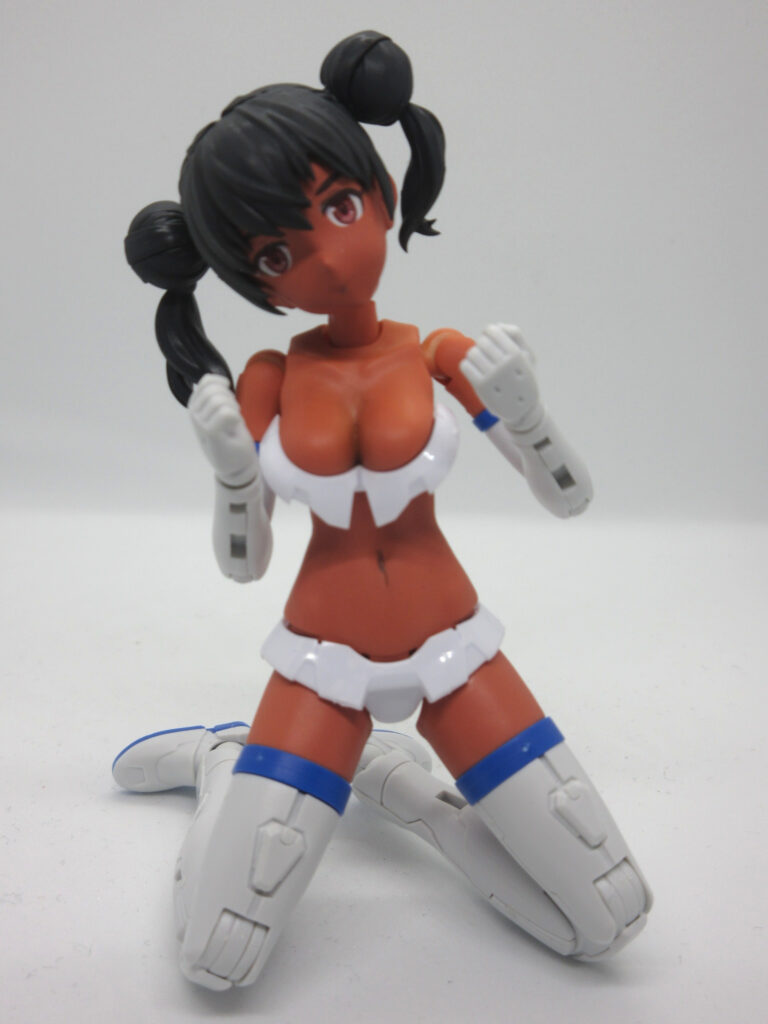
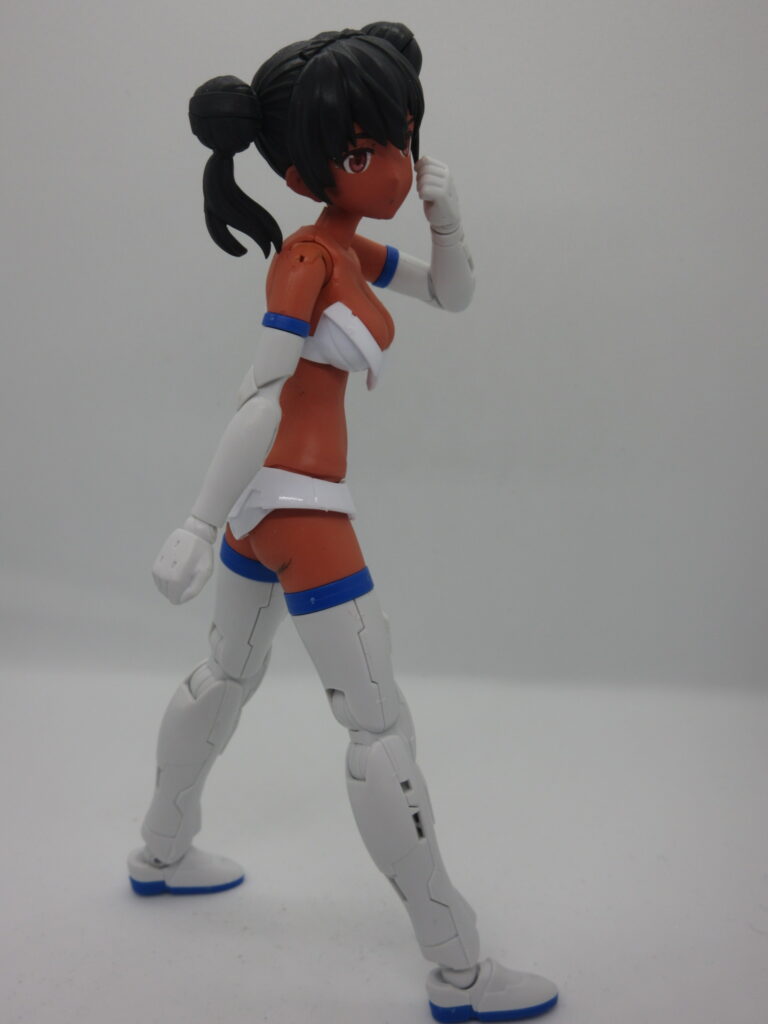
Over a year ago, I posted about how I bought Luluce with Option Body Parts A03 (color C) and some optional hair styles. I had some leftover skin color from a Shantae garage kit I built a few years ago to give her a darker, sexier skintone (in my opinion), so I used this and did some shading with burnt umber Faber Castell and artist’s chalk for her breasts and butt. I was lucky to find a set of the official 30MS eye waterslide decals, which I don’t see often. Her hair color is Mr. Color Lascivus Aura CL103 Black Hair with Tamiya Panel Line Accent Color Black for shading. I sealed these with a flat coat. The rest of the parts are the original plastic. Her “assault rifle” is made by a company called Yamada, which I bought at a Seria 100 yen shop.
I want to work on her underboobs a bit more, because the shading I did is a bit too dark. I’ll pop that piece off and see what I can do.
I bought this bikini-like body parts set when I was nerd shopping with my friend Lou in March. I haven’t been able to find the bare legs and arms sets at any hobby stores, so I will probably buy a set on Yahoo Auctions Japan.
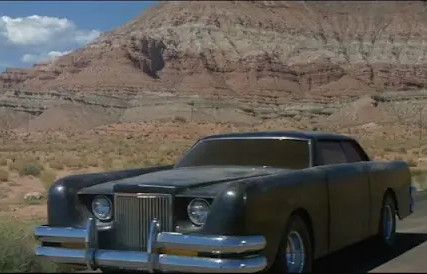
My wife and I rented “The Car” and watched it today. I hadn’t seen that movie in a very long time. Our daughter asked what the movie’s about. I said, “It’s like ‘Jaws,’ but there’s no ocean, and it’s a car instead of a shark.” “Then it’s nothing like ‘Jaws.'” Pshuh! Shows how much you know, kid.
I’ve had a difficult time setting up Japanese language input in Bazzite. I’ve done this with Ubuntu, Mint, Raspberry OS, and Zorin. Bazzite is slightly different. With Raspberry OS, you go into the Package Manager and add Fcitx5 and Mozc. In Mint and Zorin, these are separate Flatpaks you’d install through the Software Library.
Bazzite is a bit different, and it stumped me. I’m new to Bazzite, and it’s Fedora-based, not Debian-based as I am used to. For one thing, you don’t type sudo apt install” but instead it’s rpm-ostree install. 20 years ago when I first started using Linux, I was using the yum command to install programs in Fedora. Also, Bazzite’s software installer is called “Bazaar.” I installed Fcitx5’s flatpak that way, but I did not see a separate flatpak for Mozc like I’m used to. So that was my problem. It’s just different.
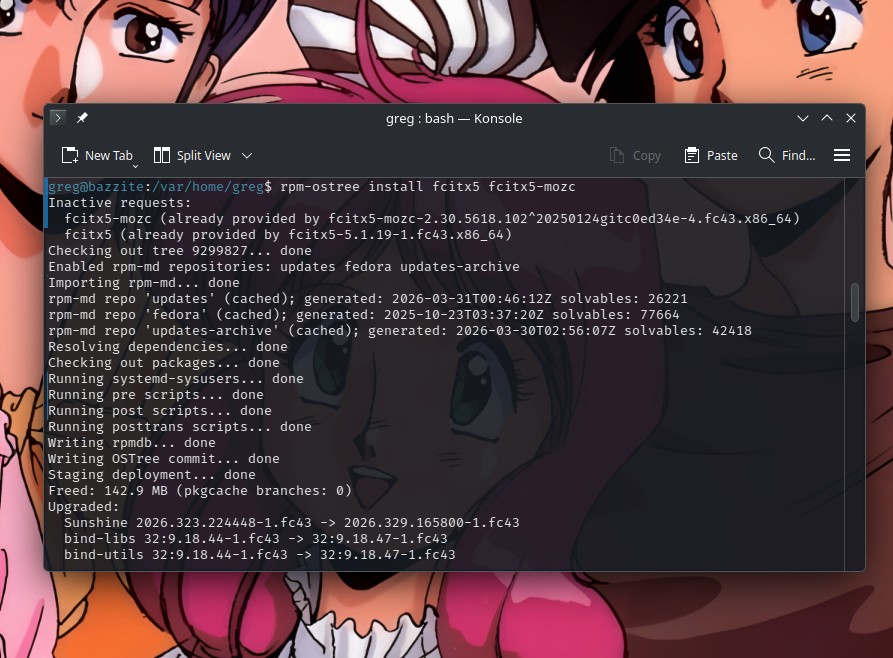
I figured that I’d have better luck using the terminal. After trying to find info on DuckDuckGo and Google, I figured I could accomplish this through rpm-ostree install fcitx5 fcitx5-mozc and it would maybe just install over what I’d already installed.
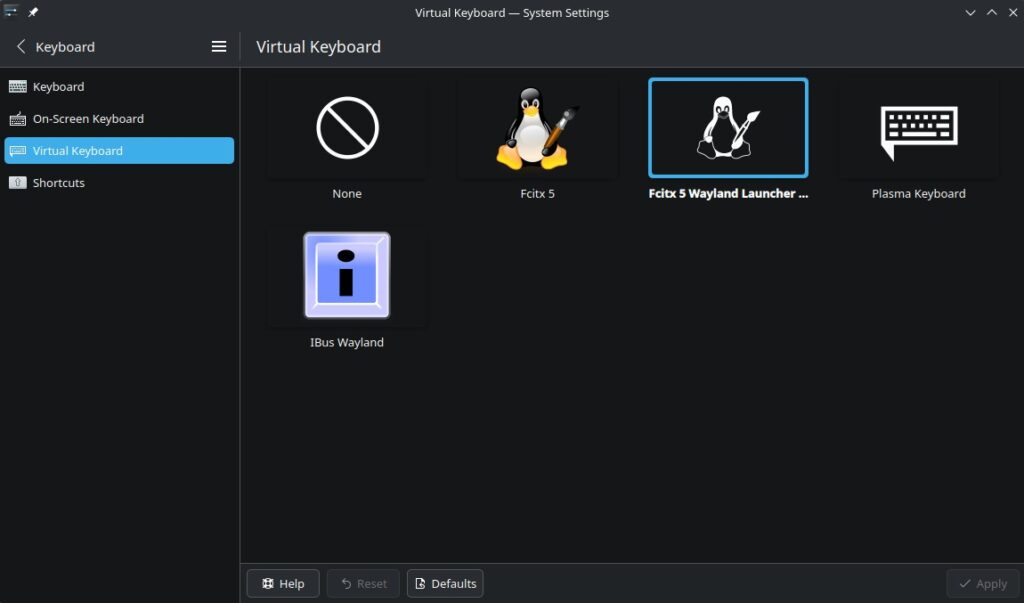
Well, that didn’t work. It told me that Mozc was already provided. I was also getting a popup for Fcitx saying Wayland Diagnose: “Fcitx should be launched by KWin under KDE Wayland in order to use Wayland input method frontend….” etc. So it was telling me to switch the virtual keyboard to Wayland. I dunno what that’s about, but I always do what I’m told to do. Computers, coworkers, neighborhood children, fortune cookies, random strangers, what have you. I always comply when I’m bossed around. So I did it.
…And the situation didn’t improve. I still couldn’t find Mozc.
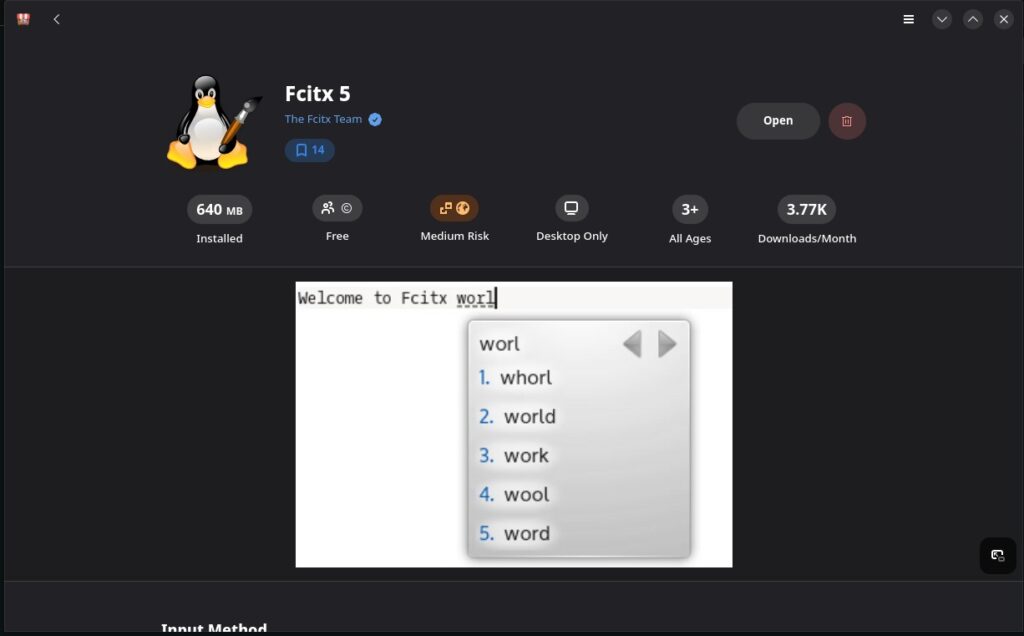
I turned to the Bazzite Reddit forum on r/Bazzite for help. I got some good responses, but not a solution. However while I was tinkering around, I went back to the Fcitx 5 page in the Bazaar library.
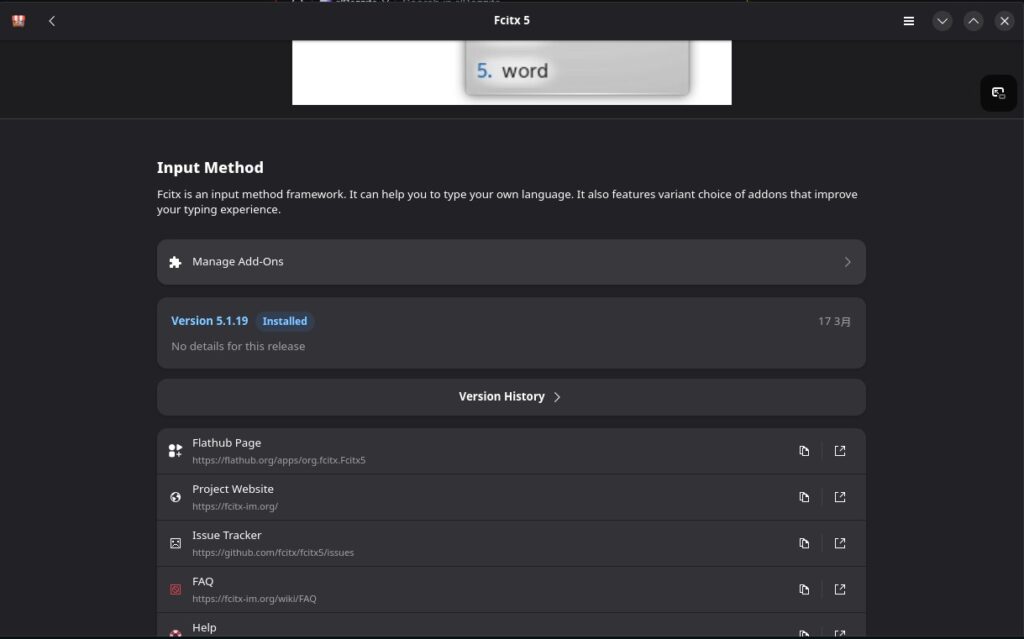
Then I noticed the little jigsaw puzzle piece icon where it says “Manage Add-Ons.”
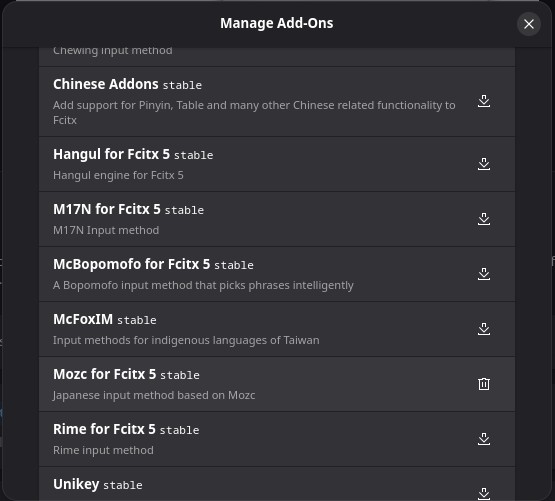
Oh gosh, here is where the various add-ons are located. I overlooked this when I first installed Fcitx5. Here is “Mozc for Fcitx5” selectable. All I had to do was click the download button to add it. Nuts. THAT is what I needed to do.
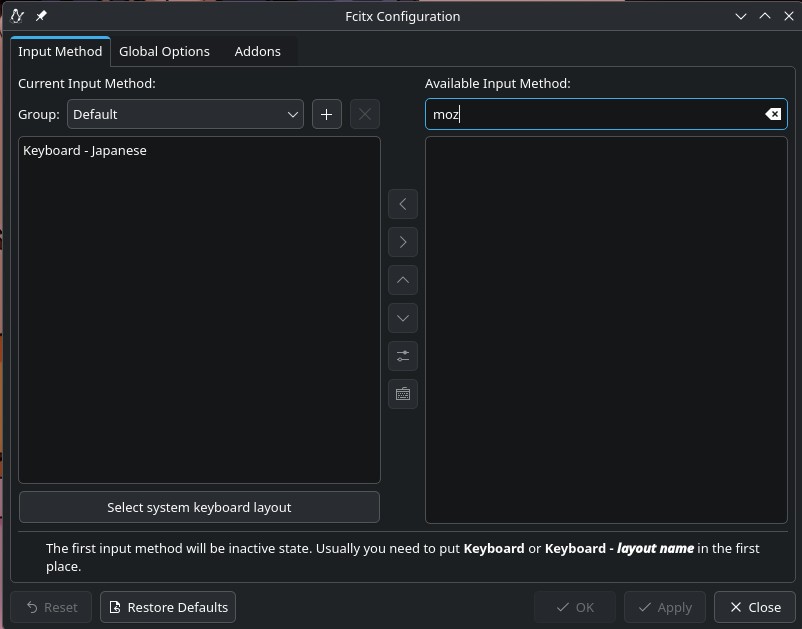
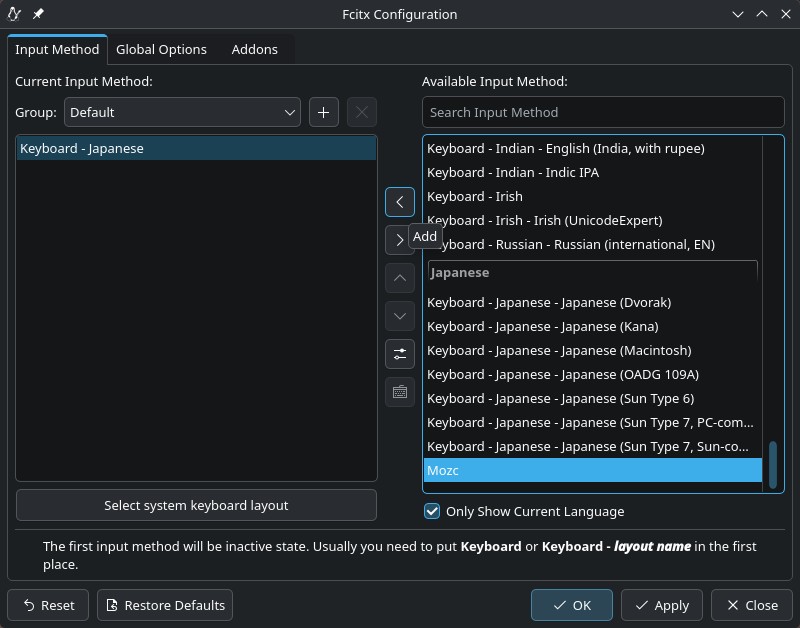
After a reboot, I went back to System/System Settings/Language & Time/Input Method. Mozc was now selectable. All I had to do was click on the right arrow to add it.
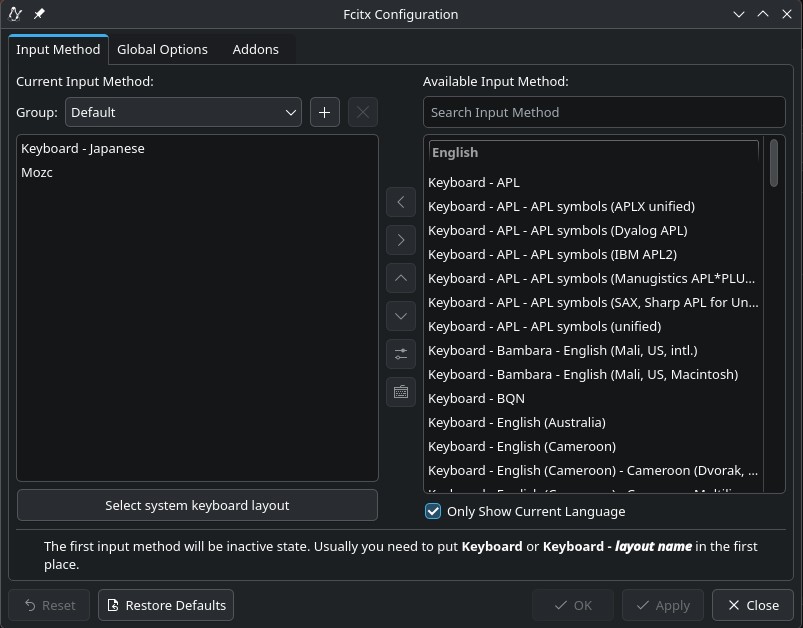
Now it’s there!
At last, Japanese text input is available. So TL;DR: I’m just used to installing Fcitx5 and Mozc as separate packages in Debian platforms, but apparently with Fedora you just install Fcitx5 and from there choose Mozc via an add-on. It makes sense, but it’s just not what I’m used to doing.
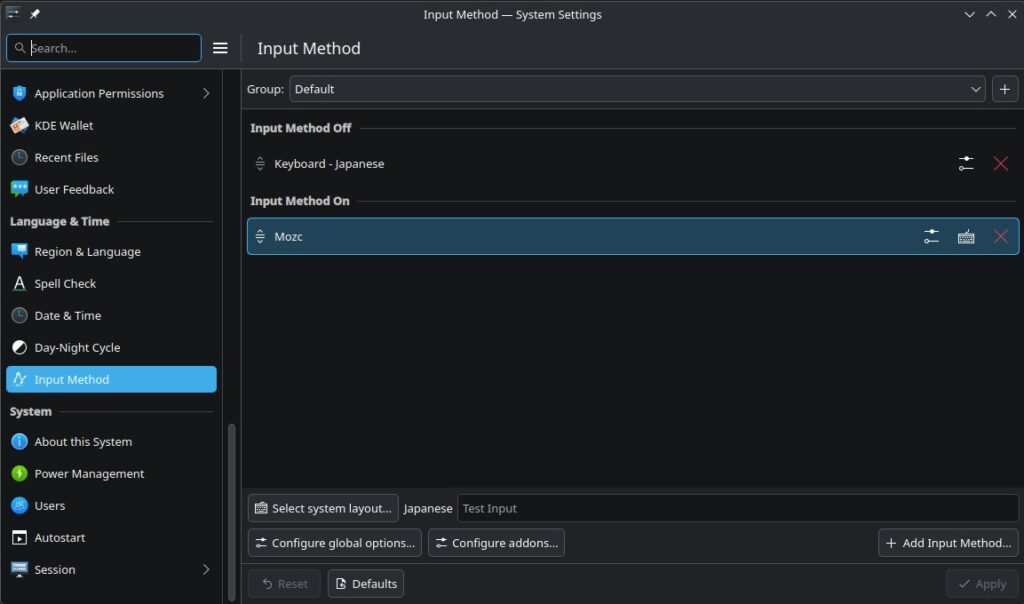
So now under System/System Settings/Language & Time/Input Method, this is what it shows. Problem solved!