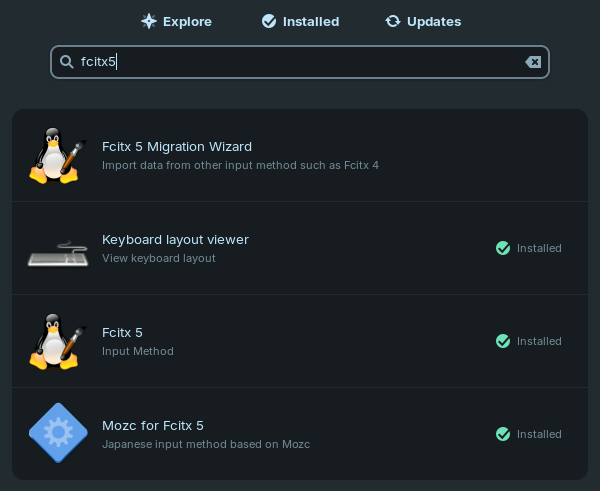

I’ve had a difficult time setting up Japanese language input in Bazzite. I’ve done this with Ubuntu, Mint, Raspberry OS, and Zorin. Bazzite is slightly different. With Raspberry OS, you go into the Package Manager and add Fcitx5 and Mozc. In Mint and Zorin, these are separate Flatpaks you’d install through the Software Library.
Bazzite is a bit different, and it stumped me. I’m new to Bazzite, and it’s Fedora-based, not Debian-based as I am used to. For one thing, you don’t type sudo apt install” but instead it’s rpm-ostree install. 20 years ago when I first started using Linux, I was using the yum command to install programs in Fedora. Also, Bazzite’s software installer is called “Bazaar.” I installed Fcitx5’s flatpak that way, but I did not see a separate flatpak for Mozc like I’m used to. So that was my problem. It’s just different.
I figured that I’d have better luck using the terminal. After trying to find info on DuckDuckGo and Google, I figured I could accomplish this through rpm-ostree install fcitx5 fcitx5-mozc and it would maybe just install over what I’d already installed.
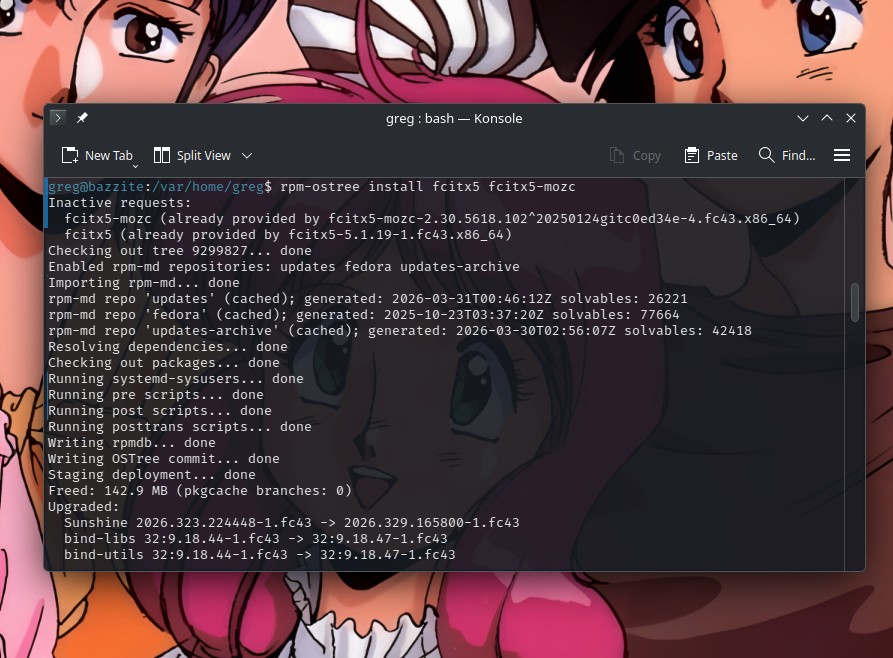
Well, that didn’t work. It told me that Mozc was already provided. I was also getting a popup for Fcitx saying Wayland Diagnose: “Fcitx should be launched by KWin under KDE Wayland in order to use Wayland input method frontend….” etc. So it was telling me to switch the virtual keyboard to Wayland. I dunno what that’s about, but I always do what I’m told to do. Computers, coworkers, neighborhood children, fortune cookies, random strangers, what have you. I always comply when I’m bossed around. So I did it.
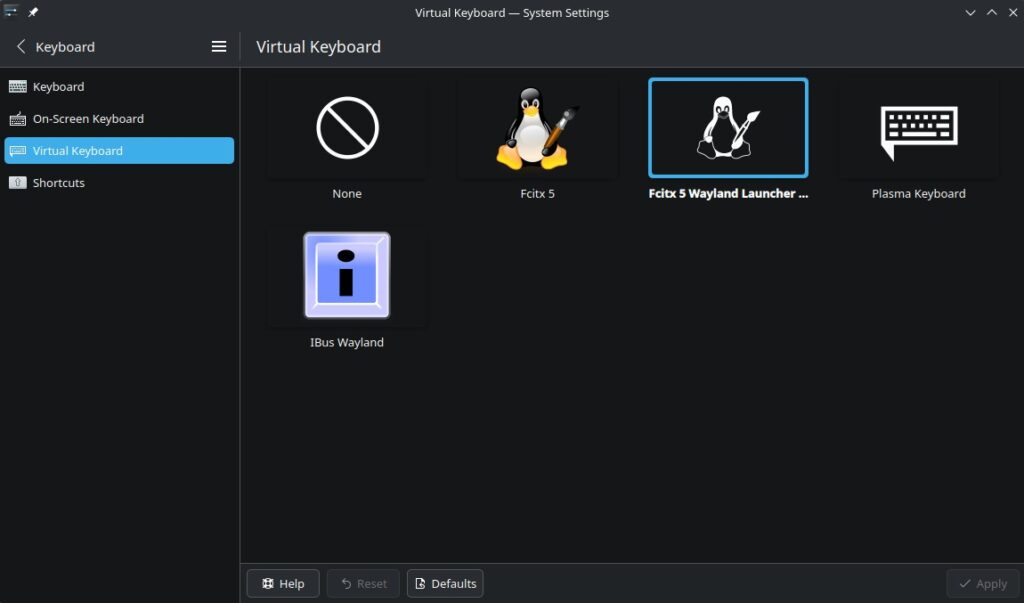
…And the situation didn’t improve. I still couldn’t find Mozc.
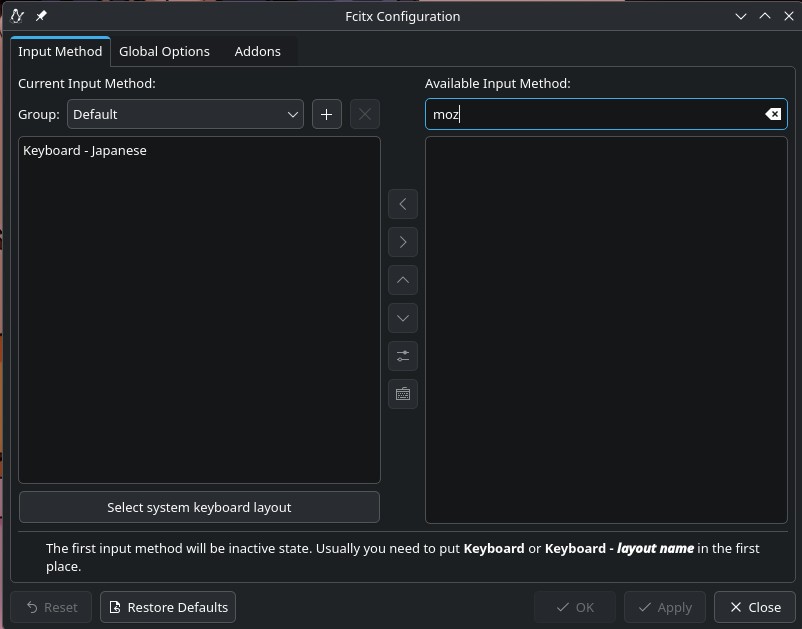
I turned to the Bazzite Reddit forum on r/Bazzite for help. I got some good responses, but not a solution. However while I was tinkering around, I went back to the Fcitx 5 page in the Bazaar library.
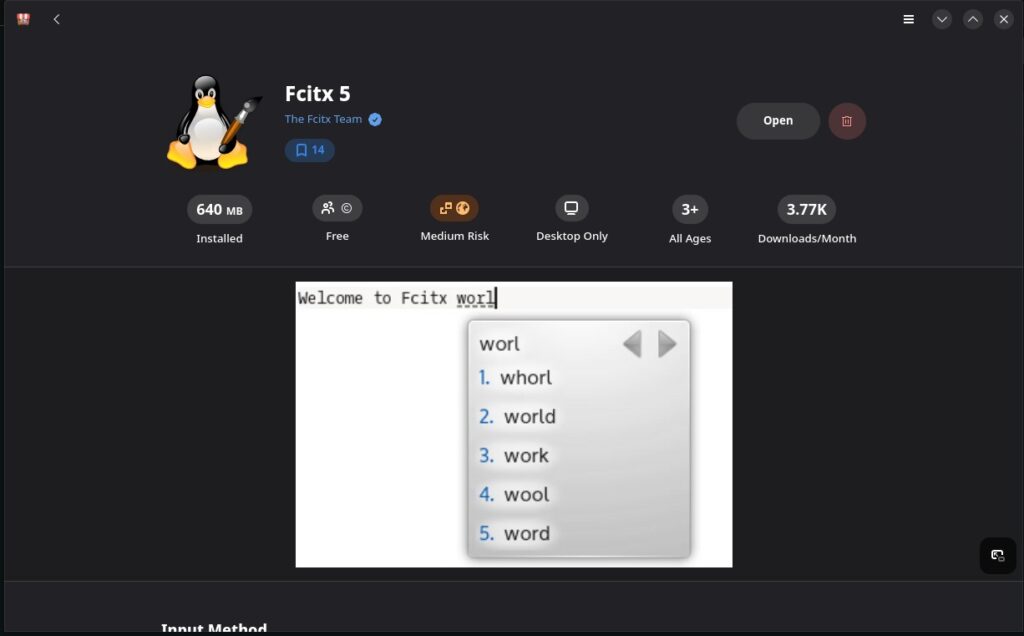
Then I noticed the little jigsaw puzzle piece icon where it says “Manage Add-Ons.”
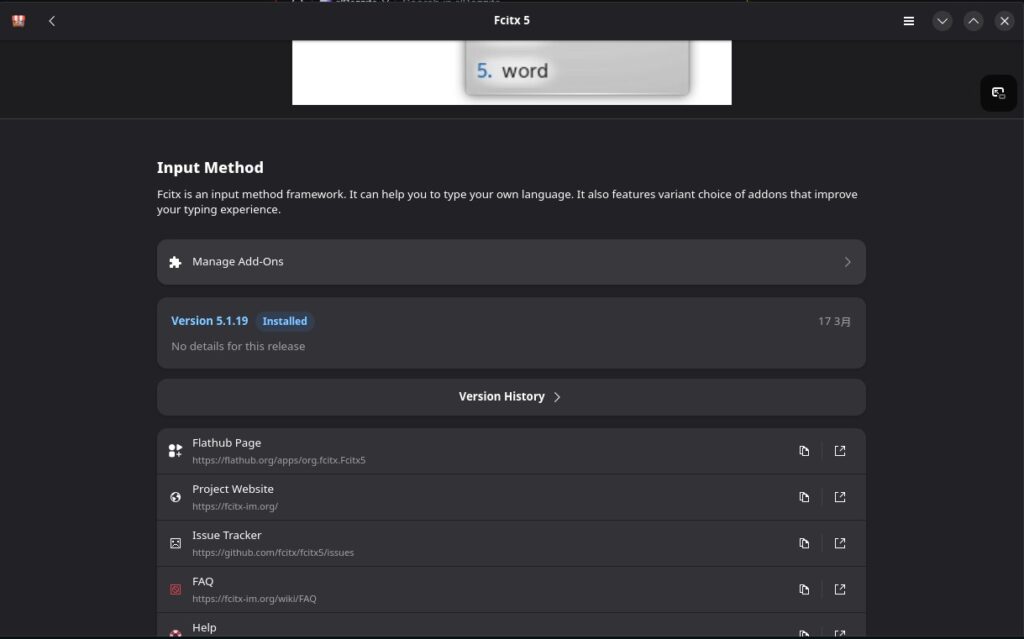
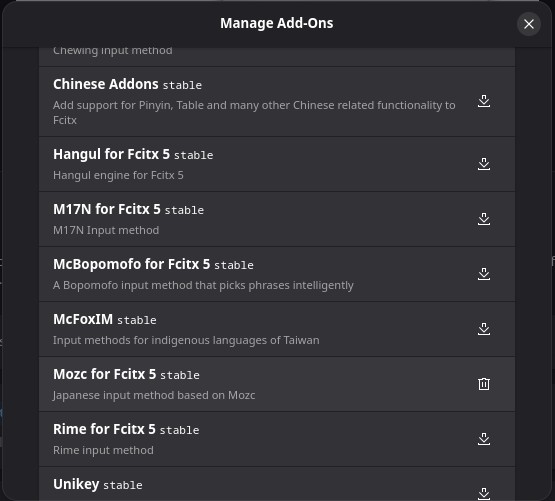
Oh gosh, here is where the various add-ons are located. I overlooked this when I first installed Fcitx5. Here is “Mozc for Fcitx5” selectable. All I had to do was click the download button to add it. Nuts. THAT is what I needed to do.
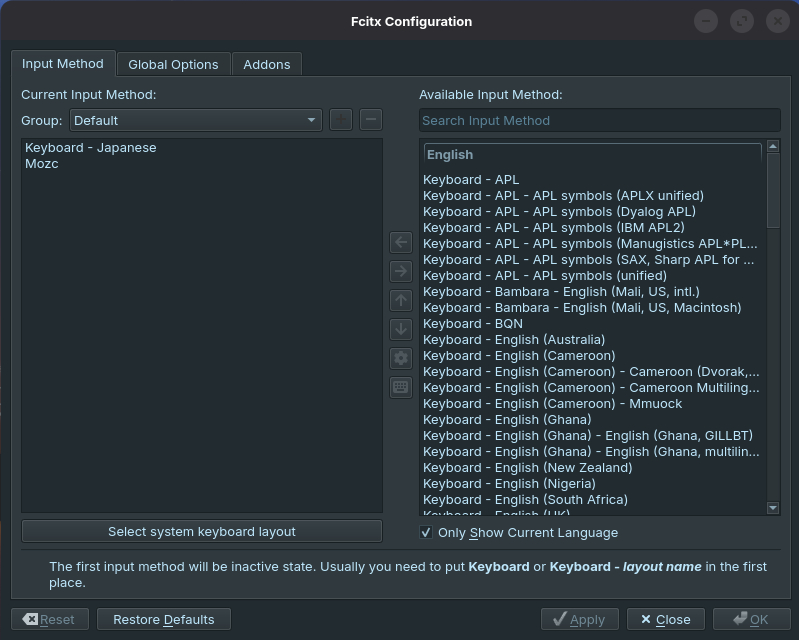
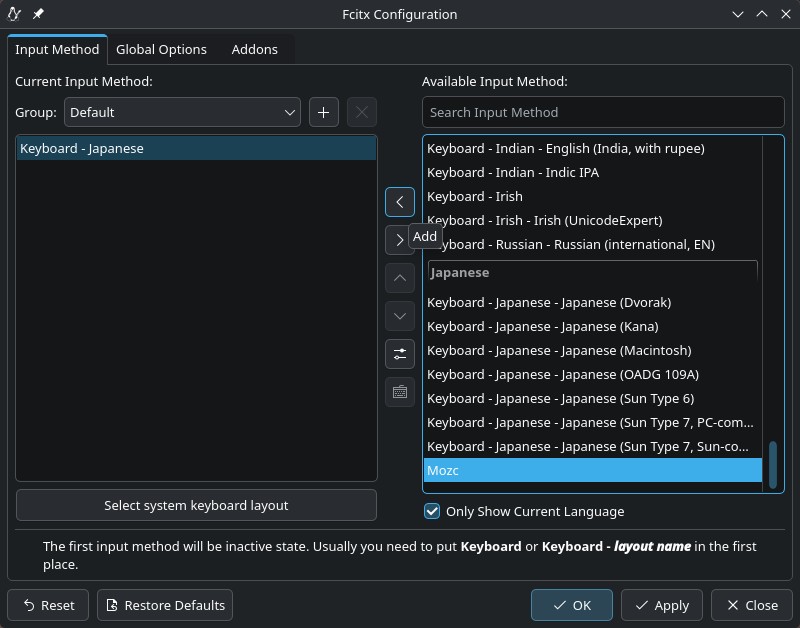
After a reboot, I went back to System/System Settings/Language & Time/Input Method. Mozc was now selectable. All I had to do was click on the right arrow to add it.
Now it’s there!
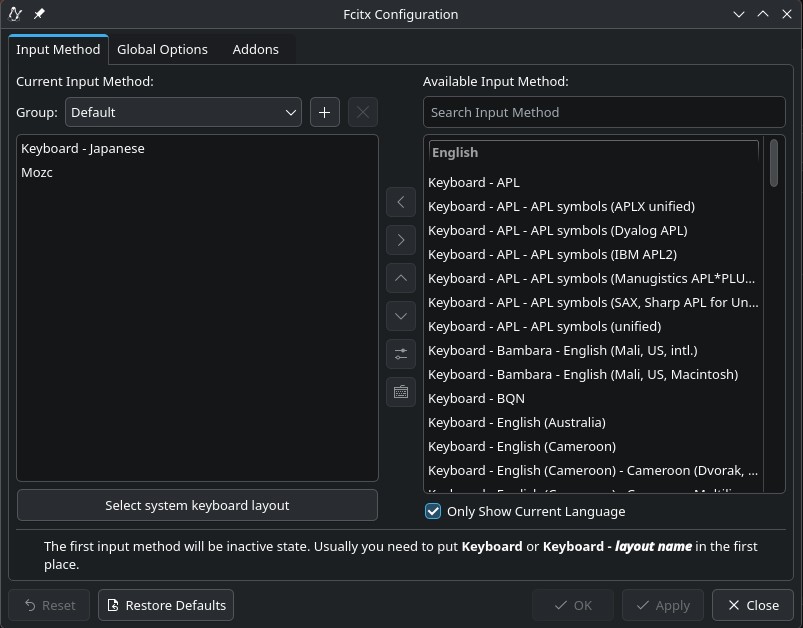
At last, Japanese text input is available. So TL;DR: I’m just used to installing Fcitx5 and Mozc as separate packages in Debian platforms, but apparently with Fedora you just install Fcitx5 and from there choose Mozc via an add-on. It makes sense, but it’s just not what I’m used to doing.
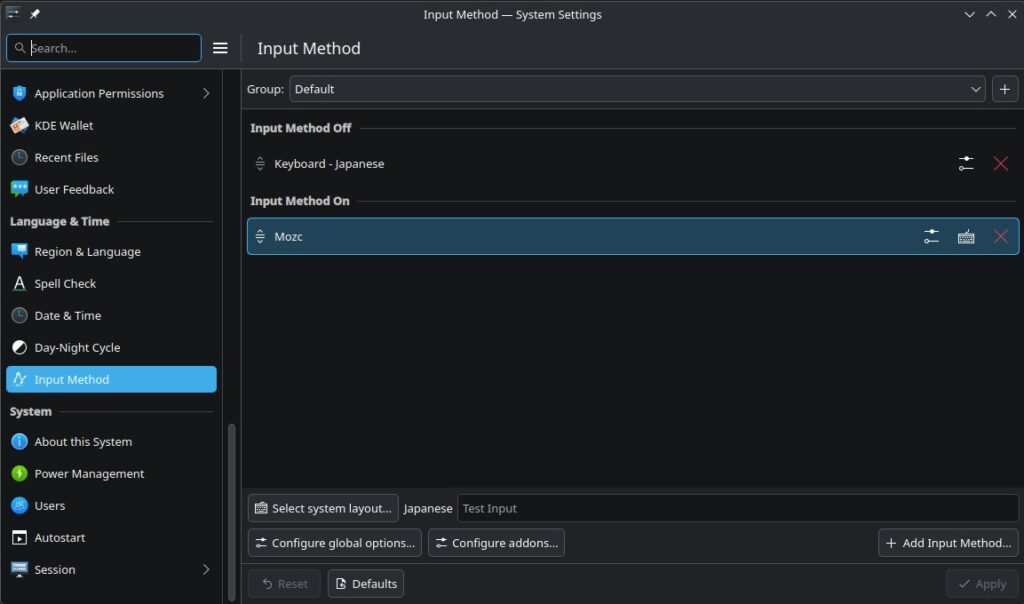
So now under System/System Settings/Language & Time/Input Method, this is what it shows. Problem solved!